
01 / Customers & follow-up
Start with a person. Keep the whole story.
Customer details, conversations, appointments, and documents stay together. Move from the first inquiry to the next deal without starting over.
Explore customer tools
CLOZBOX DMS
From the first customer to the final payment.
All in one system. Right inside your dealership.

01 / Customers & follow-up
Customer details, conversations, appointments, and documents stay together. Move from the first inquiry to the next deal without starting over.
Explore customer tools02 / Vehicle inventory
Follow a vehicle from purchase and reconditioning to sale. Keep its photos, acquisition costs, title status, and history connected along the way.
Explore inventory
03 / Deals & delivery
Bring the customer, vehicle, agreed price, and documents together. Work through cash, outside-financed, and Buy Here Pay Here deals with a clear record of what was finalized.
Explore deal workflows
04 / Customer payments
Choose the customer’s account, record their payment, and open the receipt. The payment and updated balance stay connected to the deal.
Explore payments & collections
05 / Finish the day
Keep title deadlines, vehicle costs, commissions, forms, and reports tied to the work your team has already done.
Explore accounting & titles Explore forms & reports
06 / Outside buyers
Vehicles, auction obligations, deposits, fees, and balances—kept together without mixing reserved auction funds with earned dealership income.
Every name, vehicle, VIN, auction, reference, date, and amount shown is fictional demonstration data.
Your data / Your dealership
Your team signs in over the dealership’s local network. Daily work doesn’t require an internet connection, and the public ClozBox website cannot access your dealership records.
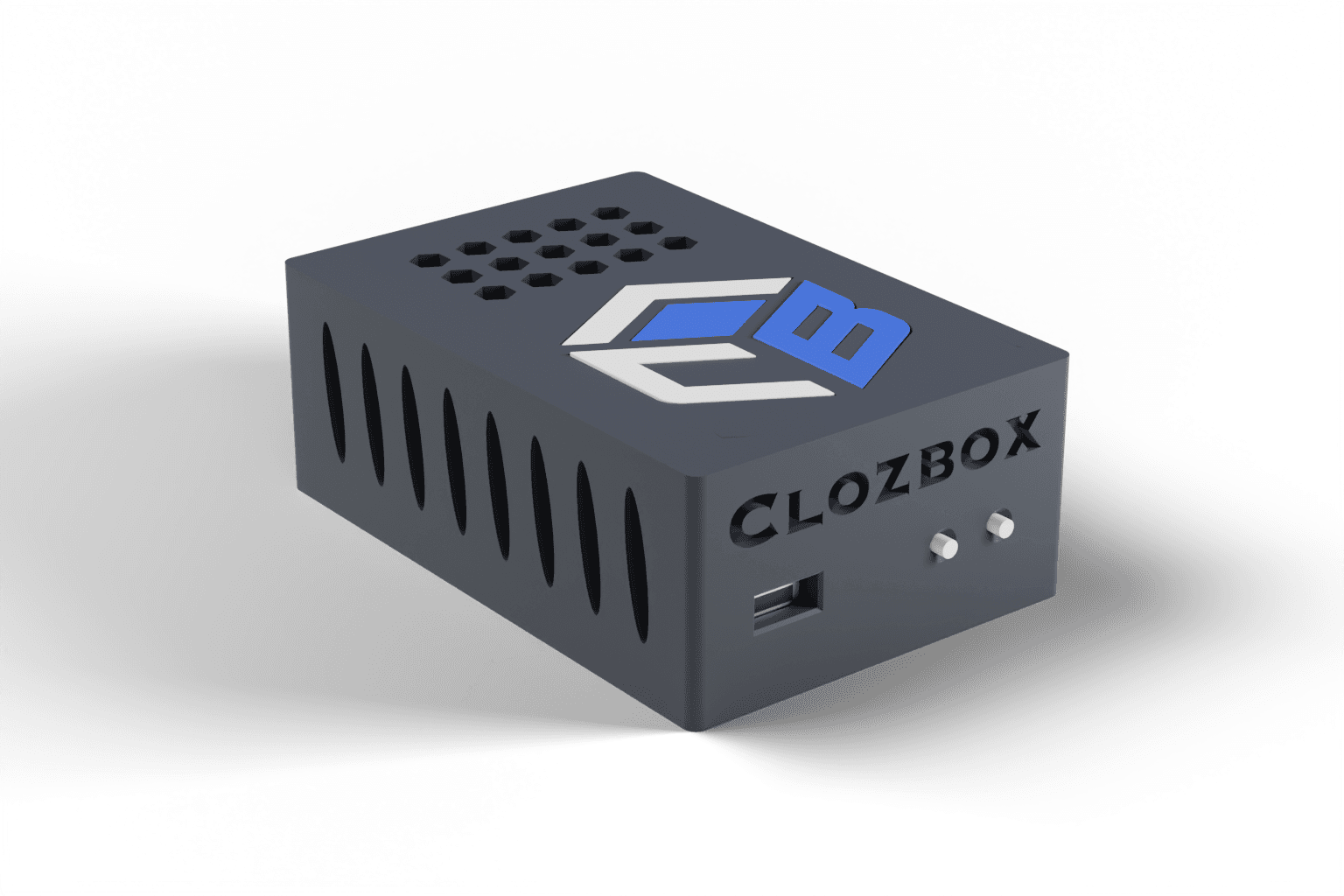
Normal application traffic is local. PostgreSQL uses a local Unix socket, dealer files live on encrypted local storage, and VIN data is installed locally.
Owner credentials use strong password hashing, full SSNs use device-local authenticated encryption, and Owner Vault operations require a separate PIN.
Finalized deal snapshots include an engine version and SHA-256 hash. Corrections use reversing records, and audit events are append-only and hash-linked.
Backups include manifests and verification. External copies use encryption and a dealer-controlled passphrase. Updates arrive as signed offline packages.
No system can promise absolute protection. Correct setup, strong credentials, physical security, and verified backups still matter.
THE SYSTEM BEHIND THE SCREEN
Scroll to open ClozBox. Drag the model to take a closer look.
COMPACT BY DESIGN
The enclosure is only slightly larger than a credit card in footprint.
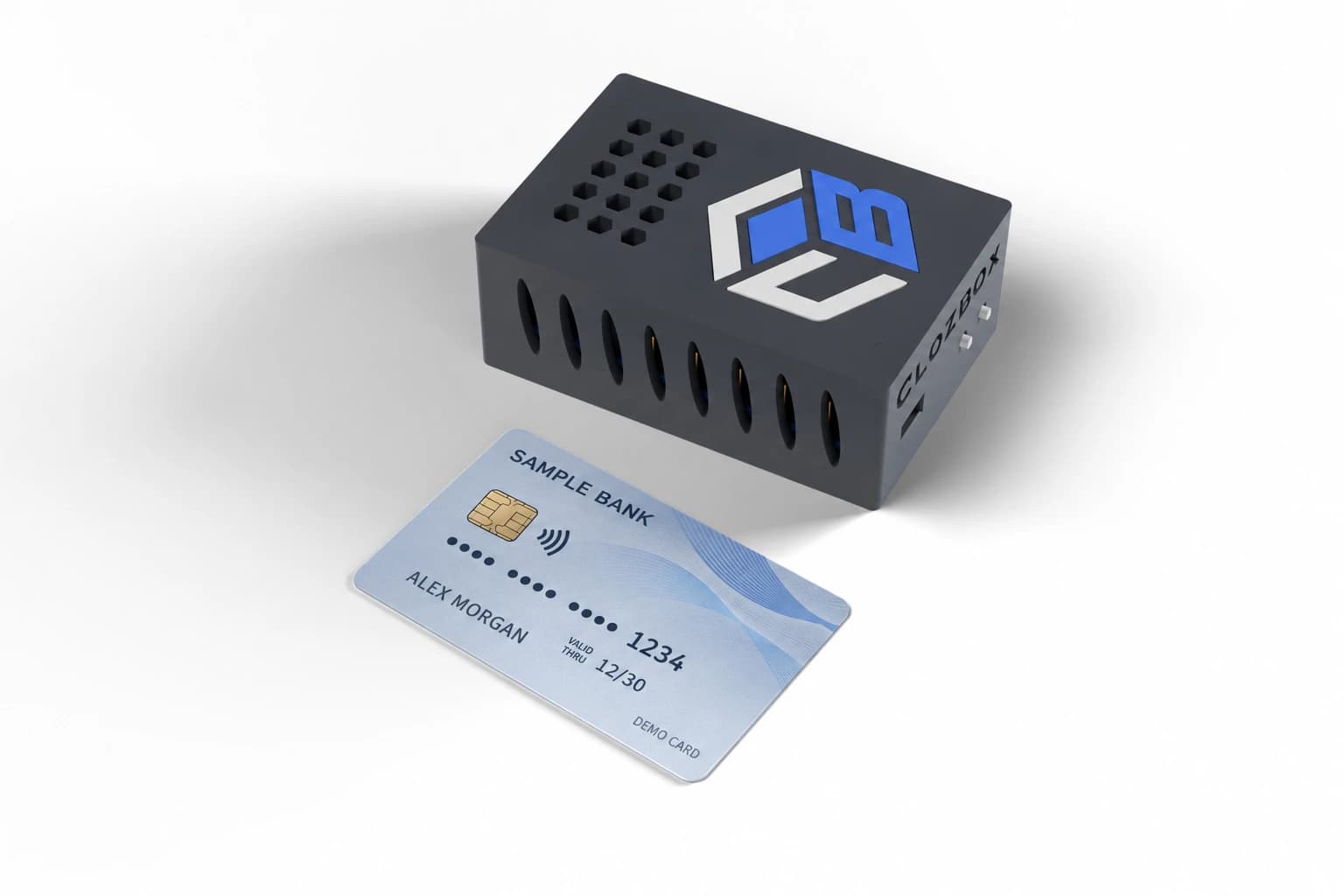
Designed to keep everyday dealership work close at hand without taking over your desk.
Measured from the production enclosure design; the button pins and screw heads add about 1.5 mm.
Getting started
Talk with us about your dealership. We’ll help you take the next step.
Talk through your dealership’s needs with our team.
See pricing and confirm what’s included before you decide.
Contact our team for help getting started.
Explore the complete feature list without leaving the story.
Move from prospect and customer records through inventory, calculation, documents, delivery, and permanent deal history.
Build payment schedules, post receipts, manage collections, and preserve every correction through reversals instead of erased history.
Keep vehicle costs, commissions, title work, approved forms, and management reports tied to the operating record.
Use custom pipeline stages, lead sources, vehicle interest, follow-up dates, tasks, appointments, activity history, and notes.
Maintain legal and preferred names, address, housing, employment, income, obligations, references, consents, and local files.
Full SSNs are protected through the separate Owner Vault workflow and device-local encryption.
Record stock number, VIN, decoded identity, mileage, colors, acquisition source, seller, and verification history.
Connect purchase price, auction, buyer, transport, recon parts and labor, and flooring transactions.
Reasoned state transitions keep the path from acquisition to Dealer Book history visible.
Support primary buyers, co-buyers, guarantors, trades, payoff, taxes, fees, products, deposits, and down payments.
Calculate in integer cents, review before finalization, then preserve the exact engine version and hash.
Reasoned amendments and reversals preserve what happened instead of silently changing financial history.
Create schedules with Actual/365 simple-interest accrual and fees-interest-principal allocation.
Use aging buckets, promises, notes, holds, and selected-date payoff quotes.
Voids, reversals, refunds, repossession, recovery, reactivation, and closure remain auditable.
Track running cash, income, expenses, unpaid bills, vendors, owner draws, and manual bank snapshots.
Calculate flat or vehicle-gross percentage commissions with bonuses and deductions that require reasons.
Manage deadlines, receipt, liens, temporary tags, registration, plates, fees, documents, and checklists.
Map data and signature placements, publish immutable template versions, and preserve signed output.
Filter and sort authorized inventory, deal, payment, accounting, BHPH, title, and customer datasets.
Preview CSV and XLSX data without executing formulas or macros, then resolve duplicates and row-level errors.
Keep outside buyers separate from retail customers while preserving every connected identity, document, note, and activity record.
Assign an existing inventory vehicle to a Buyer Rep without duplicating the vehicle or re-entering saved acquisition details.
See what the dealership owes each auction and record completed payments with the date, method, amount, and reference preserved.
See what every Buyer Rep owes, open the oldest overdue balance, and begin collection with the balance and charge allocations already prepared.
Receive deposits, apply available credit, issue refunds, and record reimbursements, cancellations, auction refunds, and other adjustments.
Recognize only earned dealership fees as income while maintaining a complete ledger of charges, payments, credits, deposits, refunds, and adjustments.
See inventory movement, open deals, payment activity, collection pressure, and title deadlines from one calm starting point.
Tap to view the previewKeep acquisition, recon, availability, deal status, asking price, and permanent vehicle history connected instead of scattered across tools.
Tap to view the previewWork cash, outside-finance, and BHPH deals with visible status, exact calculations, and preserved history from draft through closing.
Tap to view the previewReview aging, past-due balances, promises, payoff work, and collection notes in one purpose-built queue.
 Tap to view the preview
Connect outside buyers, inventory vehicles, auction obligations, deposits, receivables, payments, fees, titles, and financial history without duplicate records.
Explore Buyer Rep ManagementThese are static ClozBox interface previews using a dedicated demo dealership. The public website has no connection to a ClozBox appliance, dealership database, internal application route, or production record.
ClozBox does not send email or SMS, connect directly to lenders or credit bureaus, fetch online appraisals, syndicate inventory, process card payments internally, or replace legal counsel. “External card” records a payment processed by a separate card processor.
Explore complete workflows, or talk through your dealership’s needs.
Explore pricing